

Bluehost vs WP Engine: Which Host is Right for Your WordPress Site in 2026?
Choosing a web host is one of the most critical decisions you'll make for your website. It affects your site's speed, security, and overall user experience. In the world of WordPress hosting, two names often come up for very different reasons: Bluehost and WP Engine. A detailed comparison of Bluehost vs WP Engine reveals a classic choice between an accessible, budget-friendly option and a premium, high-performance specialist.
- In a Nutshell
- Bluehost vs WP Engine: A Side-by-Side Comparison
- What is Bluehost? An Overview
- What is WP Engine? An Overview
- Performance and Speed: The Deciding Factor
- Pricing and Value: What Do You Get for Your Money?
- Customer Support and Expertise
- Ease of Use: Dashboards and Management Tools
- Security: Protecting Your Website
- Who Should Choose Bluehost?
- Who Should Choose WP Engine?
- Frequently Asked Questions (FAQ)
- Is WP Engine a better hosting provider than Bluehost for WordPress websites?
- Is WordPress or Bluehost better?
- Do I need both Bluehost and WordPress?
- Is WP Engine good for beginners?
- Which hosting is better than Bluehost?
- Who has the best WordPress hosting?
- Final Thoughts: Bluehost vs WP Engine
Bluehost is a giant in the shared hosting space, recommended by WordPress.org itself and known for its low entry-level pricing. On the other hand, WP Engine is a market leader in managed WordPress hosting, offering an optimised, secure, and incredibly fast environment specifically for WordPress sites, but at a much higher price point.
This guide breaks down the essential differences between these two providers. We'll analyse their features, performance, pricing, security, and support to help you understand which one is the right fit for your project's needs and budget. Whether you're a beginner launching your first blog or a business needing an enterprise-grade solution, the right answer lies in understanding what each host truly offers.
In a Nutshell
- Who is Bluehost for? Bluehost is ideal for beginners, personal bloggers, and small businesses on a tight budget who need an easy, all-in-one solution to get started.
- Who is WP Engine for? WP Engine is built for serious businesses, high-traffic websites, e-commerce stores, and developers who prioritise speed, security, and expert WordPress support over cost.
- Performance Difference: WP Engine offers significantly faster loading times and superior stability due to its managed cloud infrastructure, advanced caching, and global CDN. Bluehost's performance is adequate for smaller sites but can slow down on cheaper shared plans.
- Pricing Structure: Bluehost attracts users with very low introductory prices that increase upon renewal. WP Engine has a higher, more transparent monthly cost based on traffic and resources, but includes many premium features for free.
- Core Trade-off: The choice between WP Engine vs Bluehost comes down to investment versus cost. Bluehost saves you money upfront, while WP Engine saves you time and potential headaches with its managed services and expert support.
Bluehost vs WP Engine: A Side-by-Side Comparison
To understand the fundamental differences at a glance, here’s a breakdown of what each hosting provider offers. This table highlights the key areas where one service clearly outshines the other, depending on your priorities.
| Feature | Bluehost | WP Engine |
|---|---|---|
| Primary Focus | General web hosting (Shared, VPS) | Premium Managed WordPress Hosting |
| Ideal User | Beginners, bloggers, small sites | Businesses, developers, high-traffic sites |
| Starting Price | Low introductory rates (often under £5/mo) | Premium pricing (starts around £20/mo) |
| Performance | Standard (Shared server resources) | High-performance (Optimised cloud servers) |
| Uptime Guarantee | No formal guarantee | 99.95% SLA-backed guarantee |
| Staging Environment | Available on higher-tier plans | Yes, on all plans (Dev/Stage/Prod) |
| CDN Included | Free Cloudflare integration | Yes, premium global CDN (MaxCDN) |
| Daily Backups | Basic backups (CodeGuard is an upsell) | Yes, automated daily backups with 1-click restore |
| Security | Basic (Free SSL, some malware scanning) | Advanced (Managed WAF, free hack fixes) |
| Customer Support | General 24/7 phone & chat support | 24/7 WordPress expert support |
| Free Domain | Yes, for the first year | No |
What is Bluehost? An Overview

Bluehost is one of the oldest and most recognised names in web hosting, founded in 2003. It has built a reputation as a go-to provider for beginners, largely due to its affordability and its official endorsement from WordPress.org since 2005. The company hosts millions of websites and offers a wide spectrum of services, including shared hosting, VPS hosting, dedicated servers, and its own managed WordPress plans.
The core appeal of Bluehost lies in its accessibility. For a very low initial investment, a new user can get a free domain name for a year, a free SSL certificate, and a simple one-click WordPress installation. This all-in-one package removes many of the initial barriers to starting a website, making it a popular choice for first-time site owners, hobby bloggers, and small businesses testing the waters online.
Bluehost typically uses cPanel, a standard and widely understood control panel, though it has developed its own custom dashboard to simplify the user experience further. While it offers powerful options for advanced users, its main focus remains on providing a straightforward and cost-effective entry point into the world of web hosting.
What is WP Engine? An Overview
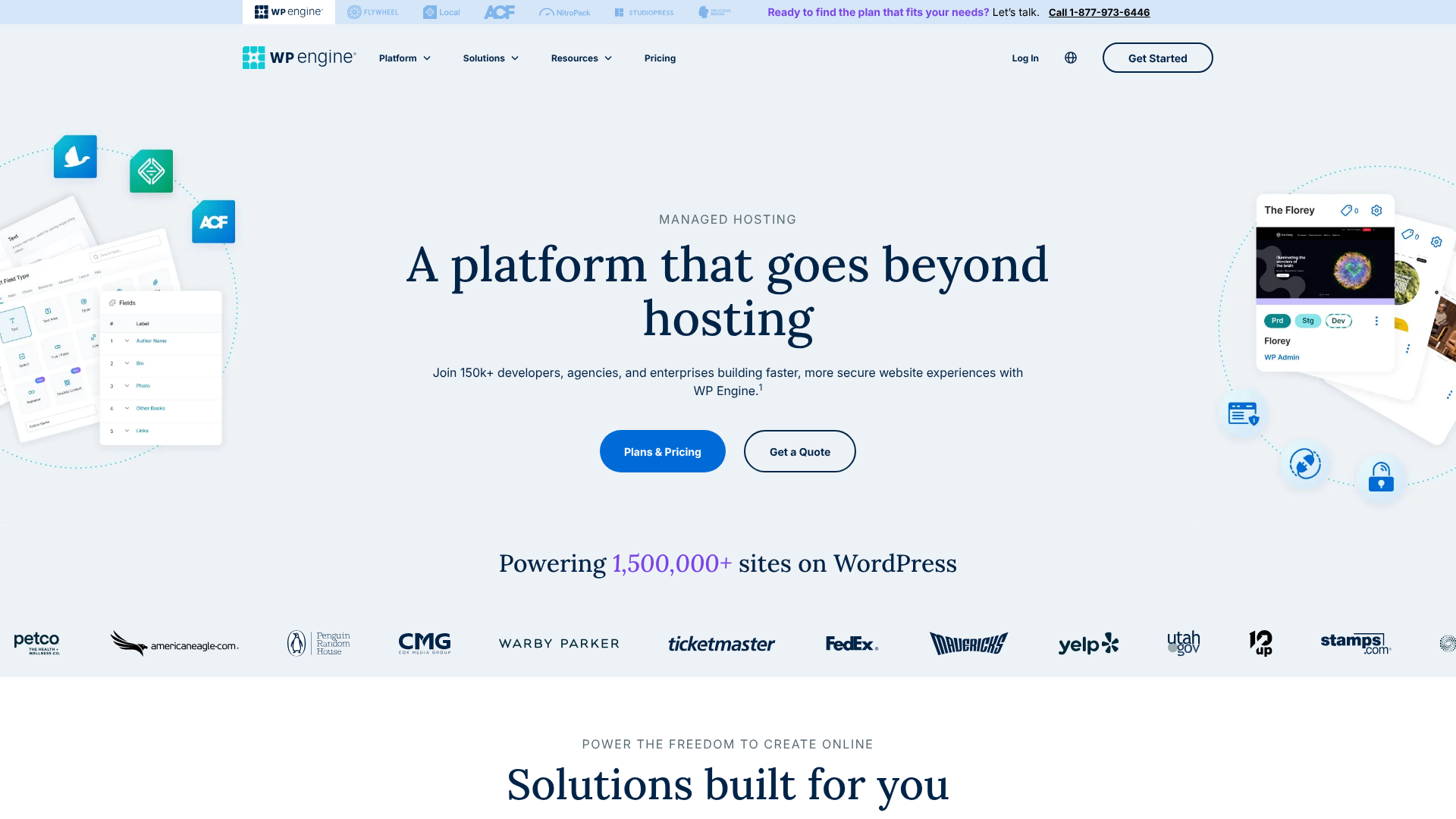
WP Engine, founded in 2010, took a completely different approach. Instead of trying to be a host for everyone, it decided to focus exclusively on one thing: providing the best possible managed hosting experience for WordPress. This specialisation means that its entire infrastructure, toolset, and support team are optimised for the WordPress platform.
"Managed" hosting means WP Engine handles many of the technical aspects of running a website for you. This includes core WordPress updates, security monitoring, performance optimisations, and daily backups. This service is designed for users who don't have the time or technical expertise to manage a server themselves, or for businesses that simply cannot afford downtime or slow performance.
WP Engine's platform is built on top-tier cloud providers like Google Cloud Platform, ensuring excellent speed and scalability. It bundles premium features into all its plans, such as a global Content Delivery Network (CDN), staging environments for testing changes safely, and free access to the powerful Genesis Framework and over 35 StudioPress themes. It’s a comprehensive, high-end solution for those who see their website as a critical business asset.

Performance and Speed: The Deciding Factor
When comparing bluehost vs wpengine, performance is arguably the most significant difference. Website speed directly impacts user experience, conversion rates, and SEO rankings, making this a critical category.
WP Engine: Built for Speed
WP Engine's entire architecture is engineered for maximum WordPress performance. It uses a highly optimised server stack built on Google Cloud Platform's powerful infrastructure. This foundation is enhanced by several layers of proprietary technology designed to make sites load incredibly fast.
One of its key features is EverCache®, an aggressive and intelligent caching system that serves pages to visitors much faster than standard hosts. It also includes a free, integrated global CDN on all plans, which stores copies of your site's assets (like images) on servers around the world. This means a visitor from London loads data from a nearby European server, not one in the US, drastically reducing latency.
Furthermore, WP Engine's managed approach means its servers are never overloaded. Unlike shared hosting, where hundreds of websites can compete for the same resources, WP Engine carefully manages its server environments to ensure consistent, reliable speed for everyone. This results in faster page load times, a higher capacity to handle traffic spikes, and a 99.95% uptime Service Level Agreement (SLA).
Bluehost: Standard, Reliable Performance
Bluehost offers reliable performance that is perfectly suitable for new or low-traffic websites. On its popular shared hosting plans, your website shares server resources—like CPU and RAM—with other websites on the same server. For a blog that gets a few hundred visitors a day, this is usually fine.
However, this shared environment can become a bottleneck. If another website on your server experiences a sudden surge in traffic, it can consume a disproportionate amount of resources, potentially slowing down your site. While Bluehost has systems to mitigate this, it's an inherent limitation of the shared hosting model.
Bluehost does provide a free Cloudflare CDN integration, which helps speed up global load times, and it offers higher-performance plans like VPS and Dedicated hosting for users who outgrow shared plans. However, its out-of-the-box performance on entry-level plans does not match the highly optimised environment provided by WP Engine.
Pro Tip: To test a host's speed, you can use tools like GTmetrix or Pingdom. Often, you can find case studies online where users have migrated from a shared host like Bluehost to a managed host like WP Engine and documented the significant improvements in load times.
Pricing and Value: What Do You Get for Your Money?
Cost is often the first thing people look at, and the pricing models for Bluehost and WP Engine are worlds apart. The debate over wp engine vs bluehost often boils down to whether you're looking for the lowest price or the best long-term value.
Bluehost: Low Entry Costs
Bluehost is famous for its incredibly low introductory prices. You can often sign up for a shared hosting plan for just a few pounds per month, especially if you commit to a multi-year term. This initial price typically includes:
- A free domain name for the first year.
- A free SSL certificate.
- One-click WordPress installation.
- Unmetered bandwidth.
This makes the initial outlay very small. However, it's crucial to be aware of two things. First, these low prices are for the initial term only; renewal rates are significantly higher. Second, many features that are standard elsewhere, like advanced backups and security scanning, are often paid add-ons.
WP Engine: Premium Investment
WP Engine operates on a premium pricing model. Its starter plan is considerably more expensive than Bluehost's, and its tiers are based on measurable resources like the number of monthly visits, storage, and bandwidth. There are no deep introductory discounts, so the price you see is generally the price you'll continue to pay.
While the sticker price is higher, WP Engine provides immense value by bundling in premium features that would cost a lot to purchase separately. These include:
- Free access to the Genesis Framework and all StudioPress themes (worth over $2,000).
- A global CDN for faster load times.
- Automated daily backups with one-click restores.
- One-click staging and development environments.
- Enterprise-grade security with free malware removal.
When you factor in the cost of these features, plus the time saved by not having to manage technical tasks, WP Engine's price becomes much more justifiable for a business. It's an all-in-one performance and security package, not just a place to park your website files.
Customer Support and Expertise
When your website goes down or you encounter a technical issue, the quality of your host's support team becomes paramount. This is another area where the specialisation of WP Engine creates a clear distinction from the generalist approach of Bluehost.
Bluehost: General All-Purpose Support
Bluehost offers 24/7 customer support through live chat and phone. Their support team is trained to handle a wide range of issues across all the services they offer, from shared hosting to dedicated servers. For common questions like setting up an email account or navigating cPanel, their support is generally helpful and responsive.
However, because they support so many different platforms and issues, their agents are not always WordPress specialists. If you have a complex issue related to a specific plugin conflict, a performance bottleneck, or a tricky WordPress error, you may find that first-line support struggles to provide a solution. You might need to be escalated to a more senior technician, which can take time.
WP Engine: Dedicated WordPress Experts
WP Engine's support is one of its strongest selling points. Since they only host WordPress, their entire support team is composed of WordPress experts. They are available 24/7 via live chat on all plans, with phone support available on higher-tier plans. Their team is highly trained to troubleshoot everything from theme and plugin issues to server-level performance problems.
This expertise means you get faster, more accurate solutions to your problems. They understand the WordPress ecosystem inside and out and can often identify the root cause of an issue much more quickly than a general support agent. This level of specialised support is invaluable for businesses where website uptime and performance are directly linked to revenue.
Ease of Use: Dashboards and Management Tools
Both platforms are designed to be user-friendly, but they cater to slightly different workflows and levels of technical confidence. The choice between bluehost vs wp can also depend on which management interface you prefer.
Bluehost: cPanel and a Simplified Dashboard
Bluehost provides a custom dashboard that simplifies the most common tasks, such as installing WordPress, setting up email addresses, and managing domains. This interface is clean and intuitive, making it great for beginners who might be overwhelmed by too many options.
For more advanced users, Bluehost also provides access to the traditional cPanel. cPanel is an industry-standard control panel that offers a huge range of tools for managing files, databases, security settings, and more. While its interface can feel a bit dated, it is powerful and familiar to anyone who has used shared hosting before. This dual approach gives users the choice between simplicity and comprehensive control.
WP Engine: A Sleek, Purpose-Built Portal
WP Engine does not use cPanel. Instead, it has its own custom user portal designed specifically for managing WordPress sites. The portal is modern, fast, and focused on the tasks that matter most to WordPress users. From the dashboard, you can easily:
- Create and manage staging and development environments.
- Access and restore daily backups.
- View site traffic and resource usage.
- Manage user permissions.
- Clear caches and enable the CDN.
While it lacks some of the broader tools of cPanel (like a built-in email hosting manager, as WP Engine doesn't offer email hosting), its focused design makes WordPress site management incredibly efficient. For developers and agencies managing multiple client sites, the workflow is streamlined and powerful.
Security: Protecting Your Website
Website security is not something to be taken lightly. A single hack can destroy your reputation, compromise customer data, and get your site blacklisted by search engines. Here, the proactive, managed approach of WP Engine offers a significant advantage.
WP Engine: Enterprise-Grade Security Included
Security is a cornerstone of WP Engine's service. They take a proactive and multi-layered approach to protect your site. Every plan includes:
- Managed Web Application Firewall (WAF): This blocks malicious traffic before it even reaches your website.
- Proprietary Security Rules: Their team constantly updates firewall rules to protect against new WordPress vulnerabilities.
- Automatic Malware Scanning: They regularly scan your site for malware and other threats.
- Free Hack Fixes: If your site is somehow compromised while on their platform, their team will fix it for free. This is a huge guarantee that can save you hundreds or even thousands of pounds.
- Managed Core Updates: They handle WordPress core updates for you, ensuring security patches are applied promptly.
This comprehensive security suite runs in the background, giving you peace of mind. You don't need to configure or manage it; it's just part of the service.
Bluehost: Standard Security with Upsells
Bluehost provides the essential security features needed to run a website. All plans come with a free SSL certificate, which encrypts data between your site and its visitors. They also have basic server-level firewalls and security protocols in place.
However, more advanced security features often come as paid add-ons. For example, SiteLock, a service that provides malware scanning and removal, is frequently offered as an upsell during checkout. Similarly, while Bluehost does offer backups, their more robust and automated backup solution, CodeGuard, is also an extra cost.
While you can certainly run a secure site on Bluehost, it requires more hands-on management and potentially extra investment in third-party security tools or add-ons. The responsibility for keeping the site clean and updated falls more heavily on the user.
Who Should Choose Bluehost?
Bluehost remains an excellent choice for a specific type of user. You should choose Bluehost if:
- You're a beginner: The user-friendly dashboard, one-click install, and helpful guides make it one of the easiest ways to start your first WordPress site.
- You're on a tight budget: The low introductory pricing is almost unbeatable and allows you to get online with minimal financial commitment.
- You're starting a personal blog or a small project: For websites that don't expect high traffic, Bluehost's shared hosting provides more than enough resources.
- You want an all-in-one solution: The inclusion of a free domain and the ability to host email accounts on the same plan simplifies management for non-technical users.
Who Should Choose WP Engine?
WP Engine is a premium service designed for users whose websites are critical to their success. You should choose WP Engine if:
- You run a business website or e-commerce store: The superior performance, uptime guarantee, and robust security are essential for protecting your revenue and reputation.
- Your website receives high traffic (or you expect it to): WP Engine's scalable infrastructure can handle traffic spikes without slowing down.
- You're a developer or agency: The staging environments, Git integration, and collaborative tools make it a highly efficient platform for building and managing client sites.
- You value your time: The managed nature of the service frees you from worrying about technical maintenance, allowing you to focus on growing your business.
- You want the best possible support: Access to a team of WordPress experts 24/7 is invaluable when you need fast, accurate help.
Frequently Asked Questions (FAQ)
Is WP Engine a better hosting provider than Bluehost for WordPress websites?
It depends entirely on your needs and budget. For performance, security, and expert support, WP Engine is objectively a better hosting provider. Its entire platform is optimised for WordPress. However, for beginners and users on a strict budget, Bluehost offers better value and a more accessible entry point.
Is WordPress or Bluehost better?
This question highlights a common point of confusion. They aren't competitors; they work together. WordPress is the free, open-source software (Content Management System) you use to build and manage your website. Bluehost is the web hosting company that provides the server space and technology needed to make your WordPress website accessible on the internet.
Do I need both Bluehost and WordPress?
Yes. To create a self-hosted WordPress website, you need both. You need WordPress as your website-building software and a hosting provider like Bluehost or WP Engine to store your website's files and make them available online. Think of WordPress as the engine and framework of your car, and the hosting as the garage and the road it drives on.
Is WP Engine good for beginners?
While WP Engine's portal is user-friendly, it's generally not the best choice for absolute beginners. The higher cost can be difficult to justify for a new project with no traffic, and its feature set is geared more towards professional users. Bluehost's lower price point and inclusion of a free domain make it a more practical and less intimidating starting point.
Which hosting is better than Bluehost?
For users looking for a step up from Bluehost's shared hosting without jumping to WP Engine's premium price, providers like SiteGround or Kinsta are often considered strong alternatives. They offer managed WordPress features and better performance than typical shared hosting but at a more moderate price point than WP Engine.
Who has the best WordPress hosting?
There is no single "best" host for everyone. The best hosting depends on your specific needs:
- For Budget/Beginners: Bluehost or Hostinger.
- For Managed Performance: WP Engine or Kinsta.
- For a Balance of Price and Performance: SiteGround.
Final Thoughts: Bluehost vs WP Engine
Choosing between Bluehost and WP Engine is a decision about priorities. There is no single winner, only the right choice for your specific situation. The bluehost vs wp engine debate is not about which host is universally superior, but which one aligns with your goals, technical skills, and budget.
Bluehost is the undisputed champion of accessible, low-cost hosting. It's the perfect launchpad for new ideas, personal blogs, and small businesses taking their first steps online. It gives you all the essential tools you need to get started without a significant upfront investment. As your site grows, you may eventually outgrow its shared plans, but it's an excellent place to begin your journey.
WP Engine, in contrast, is a premium investment in performance, security, and peace of mind. It's for users who have moved beyond the startup phase and now require a fast, reliable, and secure platform that can support a growing business. The higher cost is justified by the time saved on technical management, the superior speed that improves user experience and SEO, and the expert support that acts as an extension of your own team. If your website is a critical business asset, WP Engine provides the professional-grade foundation it deserves.