
Jotform vs Google Forms: Which is Best for Your Business in 2026?
Choosing the right online form builder can feel like a simple task until you're faced with two very different, yet popular, options. A detailed comparison of Jotform vs Google Forms reveals a classic trade-off: the straightforward, no-cost simplicity of Google versus the powerful, feature-rich capabilities of a specialised tool. While Google Forms is a fantastic free option for quick surveys and basic data collection, businesses often find they need more advanced features for lead generation, payment processing, and complex workflows, which is where Google Forms alternatives like Jotform enter the picture.
- Quick Summary
- Jotform vs Google Forms: A Quick Comparison
- What Are Jotform and Google Forms? An Overview
- Features Deep Dive: A Head-to-Head Jotform Comparison
- Form Fields and Question Types
- Conditional Logic and Automation
- Payment Gateways
- E-Signatures and Compliance
- User Interface and Ease of Use: Which is More Intuitive?
- Customisation and Branding: Making Forms Your Own
- Integrations: Connecting Your Forms to Your Workflow
- Data Collection, Reporting, and Analytics
- Jotform vs Google: A Look at Pricing and Plans
- Security, Privacy, and Compliance
- Use Cases: When to Choose Jotform Over Google Forms
- What Users Are Saying: Reviews and Feedback
- Frequently Asked Questions
- Is Jotform actually free?
- What are the disadvantages of using Google Forms?
- What program is best for making forms?
- What are the limitations of a Jotform survey?
- Can Jotform be trusted?
- Final Thoughts: The Verdict
This guide breaks down the essential differences between these two platforms. We'll explore everything from features and customisation to pricing and security. By the end, you'll have a clear understanding of which tool is the right fit for your specific projects, whether you're a small business owner, a marketer, or an educator.
Quick Summary
- Google Forms is Best for Simplicity: It's completely free, incredibly easy to use, and integrates perfectly with Google Workspace, making it ideal for simple surveys, internal feedback, and quick RSVPs.
- Jotform is a Powerhouse for Functionality: It offers thousands of templates, advanced conditional logic, payment integrations, and extensive customisation. It's built for professional use cases like order forms, event registrations, and complex applications.
- The Core Difference is Features vs. Cost: Google Forms provides essential form-building tools at no cost. Jotform operates on a freemium model, offering a limited free plan but reserving its most powerful features for paid subscribers.
- Your Use Case is the Deciding Factor: If your needs are basic and you're already using Google's ecosystem, Google Forms is a logical choice. If you require payment processing, advanced automation, or deep branding control, Jotform is the superior option.
Jotform vs Google Forms: A Quick Comparison
Before we dive deep, here’s a high-level look at how these two form builders stack up against each other across the most important categories.
| Feature | Google Forms | Jotform |
|---|---|---|
| Pricing | Completely free | Freemium model with paid plans |
| Ease of Use | Extremely simple, minimal learning curve | Easy drag-and-drop, more features to learn |
| Templates | ~17 basic templates | 10,000+ professionally designed templates |
| Conditional Logic | Basic (Go to section based on answer) | Advanced (Show/hide fields, perform calculations) |
| Payment Processing | No native support (requires add-ons) | Native integrations with 30+ gateways (PayPal, Stripe, etc.) |
| Customisation | Limited (colours, fonts, header image) | Extensive (CSS, themes, advanced styling) |
| Integrations | Native with Google Workspace, limited otherwise | 150+ native integrations with CRMs, email tools, etc. |
| Reporting | Data sent to Google Sheets for manual analysis | Built-in visual report builder and analytics |
| HIPAA Compliance | No | Available on Gold and Enterprise plans |
What Are Jotform and Google Forms? An Overview
While both tools help you create online forms, they come from very different places and are designed to solve different problems. Understanding their core identity is key to making the right choice.
Google Forms: The Simple, Integrated Solution
Google Forms is a core part of the Google Workspace suite, alongside Docs, Sheets, and Slides. Its biggest strength is its seamless integration with this ecosystem. If you live and breathe Google Drive, creating a form and having the responses automatically populate a Google Sheet feels natural and efficient.
It was designed for simplicity and speed. You can create a functional survey or quiz in minutes without any prior experience. It's the go-to tool for teachers creating quizzes, office managers organising lunch orders, or friends planning an event. However, this simplicity comes at the cost of advanced functionality; it was never intended to be a comprehensive business solution.
Jotform: The Advanced, All-in-One Form Builder
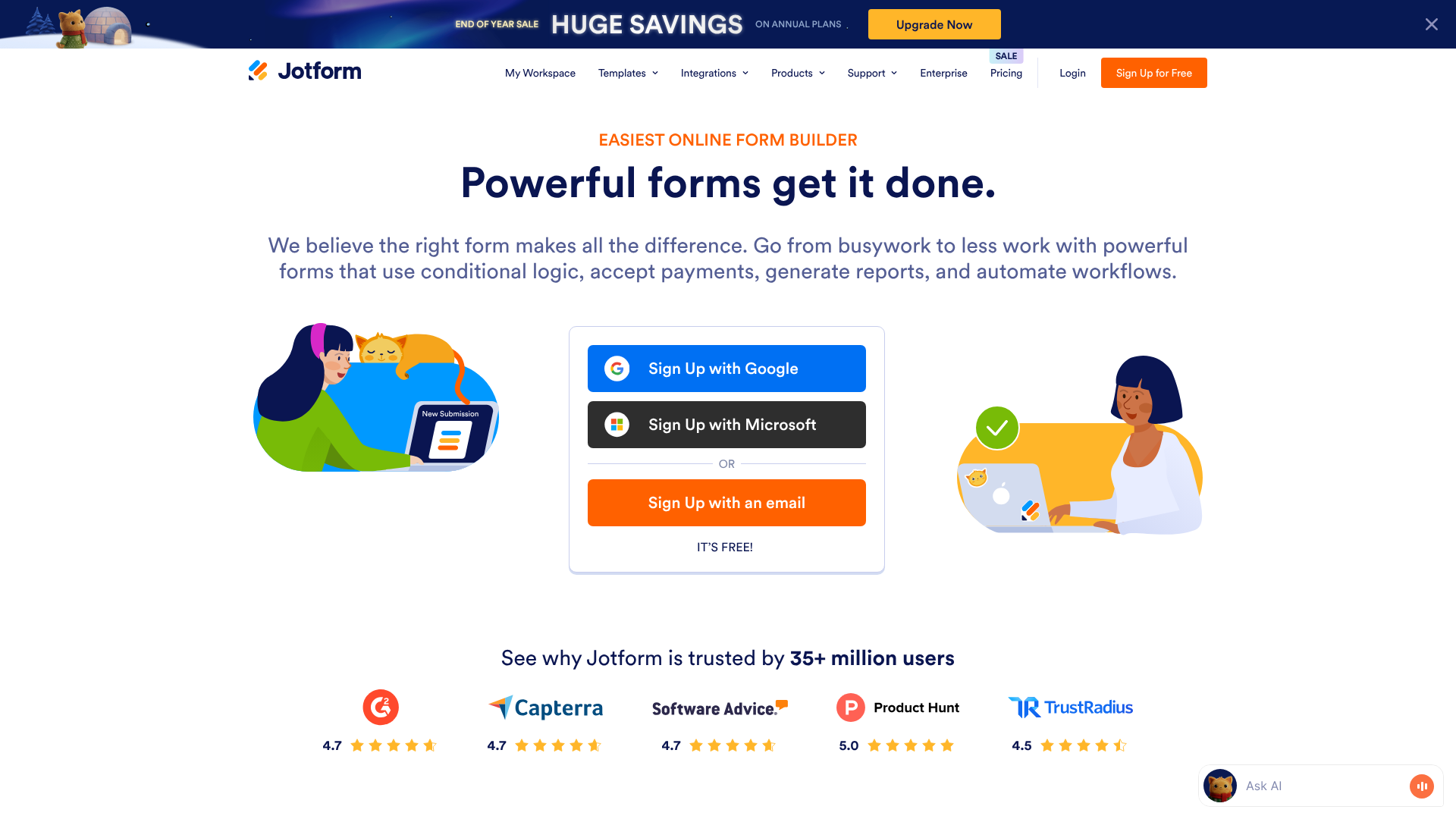
Jotform is a dedicated form-building platform designed to handle almost any data collection task you can imagine. It was built from the ground up to be a powerful, flexible tool for businesses, non-profits, and professionals. It goes far beyond simple question-and-answer formats.
With Jotform, you can create complex application forms, accept payments for products or services, gather legally binding e-signatures, and automate workflows. Its massive template library and extensive integration options make it a versatile tool that can replace several other single-purpose applications. It’s a true Google Forms alternative for users who have outgrown the basic features of Google's offering.
Features Deep Dive: A Head-to-Head Jotform Comparison
This is where the differences between the two platforms become most apparent. While Google Forms covers the basics well, Jotform offers a depth of functionality that caters to professional needs.
Form Fields and Question Types
Google Forms provides all the standard fields you'd expect: short answer, multiple choice, checkboxes, dropdowns, and file uploads. These are sufficient for most simple surveys and feedback forms.
Jotform, on the other hand, offers a much wider array of field types. Beyond the basics, you get specialised fields like appointment schedulers, product lists, image sliders, and advanced widgets for collecting specific data. It also includes unique input fields like a star rating, scale rating, and even a drawing board where users can sketch directly onto the form.
Conditional Logic and Automation
Conditional logic is what makes a form feel smart and interactive. It changes the form's behaviour based on a user's answers. Google Forms offers a very basic version of this: you can direct a user to a different section of the form based on their answer to a multiple-choice question. It’s useful but limited.
Jotform's conditional logic is far more sophisticated. You can create complex IF/THEN rules to show or hide individual fields, perform calculations, skip entire pages, and even send customised email notifications based on user input. For example, you could show a payment field only if a user selects a paid product, or calculate a total cost in real-time as they make selections. This level of automation is essential for creating professional-grade application forms, order forms, and complex registration processes.
Payment Gateways
This is a major point of difference in any Jotform vs Google comparison. Google Forms has no built-in payment processing capabilities. While you can use third-party add-ons to create a workaround, it's often clunky and not designed for a smooth e-commerce experience.
Jotform excels here, with over 30 native payment gateway integrations, including major players like Stripe, PayPal, Square, and Authorize.Net. You can easily add products, set quantities, calculate taxes and shipping, and securely process payments directly within your form. This makes Jotform a powerful tool for selling products, collecting donations, or charging for services without needing a full e-commerce website.
E-Signatures and Compliance
For contracts, agreements, and official documents, collecting a legally binding signature is crucial. Jotform has a dedicated e-signature widget that allows users to sign forms with their mouse or finger. This feature is invaluable for client onboarding, consent forms, and internal HR processes.
Furthermore, Jotform offers HIPAA-compliant forms on its Gold and Enterprise plans. This is a non-negotiable requirement for any organisation in the healthcare industry that handles protected health information (PHI). Google Forms does not offer a HIPAA-compliant solution, making it unsuitable for clinical use.
User Interface and Ease of Use: Which is More Intuitive?

Both platforms use a drag-and-drop interface, but they are tailored to different levels of complexity. Your preference will depend on whether you prioritise speed or power.
The Google Forms Experience
Google Forms is the definition of user-friendly. The interface is clean, uncluttered, and instantly familiar to anyone who has used other Google Workspace apps. Adding a new question is a simple click, and the options are straightforward. There are very few settings to worry about, which means you can go from a blank page to a published form in under five minutes.
This simplicity is its greatest asset. There's virtually no learning curve. However, this also means that when you need a feature that isn't there, you hit a wall. The lack of options can become a limitation for anything beyond basic forms.
Navigating the Jotform Dashboard
Jotform also features an intuitive drag-and-drop builder, but it packs significantly more power. The left-hand panel contains a vast library of form elements, payment gateways, and widgets that you can drag onto your form canvas. The right-hand panel provides detailed customisation options for each element you select.
While it’s still very easy to get started, especially if you use a template, mastering all of Jotform's features takes a bit more time. The sheer number of options can feel overwhelming to a brand-new user. However, this depth is what allows for the creation of highly tailored and powerful forms. The interface is well-organised, but you should expect to spend a little time exploring to understand its full potential.
Pro Tip: When starting with Jotform, always begin with a template. With over 10,000 to choose from, you can find one that closely matches your needs and then customise it. This approach dramatically shortens the learning curve and shows you what's possible with the platform.
Customisation and Branding: Making Forms Your Own
How your form looks can significantly impact completion rates and brand perception. A generic-looking form might be fine for internal use, but a customer-facing form should reflect your brand's identity.
Google Forms offers minimal customisation. You can choose a theme colour, select from a few font styles, and upload a header image. That's about it. While functional, it's difficult to make a Google Form look truly unique or seamlessly integrated with your website's design.
Every Google Form tends to look like, well, a Google Form.
Jotform, in contrast, provides a wealth of customisation options. You can start with one of thousands of professionally designed themes and templates. The advanced form designer gives you granular control over colours, fonts, spacing, and layout. For those with technical skills, Jotform even allows you to inject custom CSS to style your form exactly how you want it.
This flexibility ensures you can create a form that perfectly matches your brand's aesthetic and provides a professional user experience.
Integrations: Connecting Your Forms to Your Workflow
A form is rarely the end of a process. The data you collect usually needs to go somewhere else—a CRM, an email marketing list, a project management board. This is where integrations play a vital role.
Google Forms' primary integration is with Google Sheets. This is a powerful combination, as you can use the full functionality of Sheets to analyse your data. Beyond that, its integration capabilities are limited. You can connect to other apps through Google Workspace Add-ons or by using a third-party connector like Zapier, but there are few native, direct integrations.
This is another area where the Jotform comparison shows a clear winner for business users. Jotform boasts a library of over 150 native integrations with popular business applications. You can automatically send new leads to CRMs like HubSpot or Salesforce, add subscribers to email marketing platforms like ActiveCampaign or Mailchimp, and create tasks in project management tools like Asana or Trello. These direct integrations create efficient, automated workflows that save time and reduce manual data entry.
Data Collection, Reporting, and Analytics

Collecting data is only half the battle; you also need to understand it. Both tools offer different approaches to data analysis.
With Google Forms, all responses are neatly organised in a Google Sheet. This is excellent for raw data analysis, sorting, and filtering. You can use Sheets' powerful functions and charting tools to create your own reports. Google Forms also provides a simple summary view with basic charts for multiple-choice questions, but it's not customisable or suitable for detailed analysis.
Jotform takes a more visual and built-in approach to reporting. Its Report Builder tool automatically transforms submission data into professional-looking reports with charts, graphs, and tables. You can create different types of reports (visual, Excel, CSV) and customise them to highlight the most important insights. Jotform also offers a Form Analytics feature that provides data on your form's views, conversion rates, and user traffic sources, helping you optimise your forms for better performance.
Jotform vs Google: A Look at Pricing and Plans
Cost is often the most significant factor in any software decision. Here, the models are fundamentally different.
Google Forms Pricing
Google Forms is 100% free for anyone with a personal Google account. There are no limits on the number of forms you can create or the number of responses you can receive. If you are part of a business using Google Workspace, Google Forms is included in your subscription, which adds some team management features but doesn't change the core functionality of the form builder itself.
Jotform Pricing
Jotform uses a freemium model with several tiers. It's important to check their website for the most current pricing, but the structure generally looks like this:
- Starter (Free): This plan is great for testing the platform. It includes most features but has strict limits: 5 forms, 100 monthly submissions, 100 MB of storage, and Jotform branding on your forms.
- Bronze: This is the first paid tier, offering a significant increase in submission and storage limits and removing the Jotform branding. It's suitable for small businesses and individuals with moderate form traffic.
- Silver: This tier further increases the limits and adds HIPAA compliance, making it a popular choice for healthcare providers and businesses handling sensitive data.
- Gold: Aimed at larger businesses and teams, the Gold plan offers very high limits on submissions, payments, and storage.
- Enterprise: A custom plan for large organisations with specific needs for security, support, and user management.
The key takeaway is that while Jotform has a free plan, it's designed as a starting point. To use it professionally for any significant volume, you will likely need to subscribe to a paid plan.
Security, Privacy, and Compliance
When you're collecting data, especially personal or financial information, security is paramount.
Google Forms is backed by Google's robust security infrastructure. Data is encrypted in transit and at rest, and it benefits from the same security measures that protect all of Google's services. It's a very secure platform for general data collection.
Jotform also takes security seriously, offering 256-bit SSL encryption on all forms, GDPR compliance, and options for data encryption. A major advantage for Jotform, as mentioned earlier, is its HIPAA compliance feature available on Silver, Gold, and Enterprise plans. This involves signing a Business Associate Agreement (BAA) and enables features designed to protect sensitive patient health information, a critical requirement that Google Forms does not meet.
Use Cases: When to Choose Jotform Over Google Forms
Ultimately, the best tool depends entirely on the job you need to do. Here are some clear scenarios to help you decide.
Choose Google Forms If…
- You need a quick, simple survey. For internal feedback, party RSVPs, or a simple customer satisfaction poll, Google Forms is fast and effective.
- Your budget is zero. If you have no budget for a form tool, Google Forms provides unlimited use for free.
- You are deeply embedded in the Google ecosystem. The native integration with Google Sheets is a major workflow advantage for heavy Workspace users.
- You are in an educational setting. Teachers frequently use Google Forms for quizzes, assignments, and parent communication because it's free and easy for students to access.
Choose Jotform If…
- You need to accept payments. For selling products, services, or event tickets, Jotform's built-in payment integrations are essential.
- Your form requires complex logic. If you need to show/hide fields, perform calculations, or create dynamic, multi-path forms, Jotform's conditional logic is necessary.
- Branding and customisation are important. If your form needs to match your website and brand identity perfectly, Jotform's design tools are far superior.
- You need to collect sensitive health information. Jotform's HIPAA compliance is a must-have for anyone in the healthcare sector.
- You want to automate workflows. If you need to send data directly to your CRM, email list, or project management tool, Jotform's extensive native integrations will save you hours of manual work.
What Users Are Saying: Reviews and Feedback
Looking at user opinions can provide valuable real-world context. Generally, users praise Google Forms for its simplicity and cost-effectiveness. It's often described as the perfect tool for straightforward tasks. The main criticisms revolve around its limitations in design and functionality, with many users noting they had to switch to another tool as their needs grew more complex.
Jotform users, on the other hand, consistently praise its vast feature set and flexibility. The template library and payment integrations are frequently highlighted as major benefits. Some users, particularly those new to advanced form builders, mention a slight learning curve due to the number of available options. The limitations of the free plan are also a common point of discussion, with users advising that a paid plan is necessary for any serious business use.
One user on Reddit summed up the sentiment well in a discussion about website contact forms:
"Jotform seems the most recommended option, but I also just looked at Google Forms, which seems like it could work, but also seems to look a bit 'Googley' and less professional. I'm leaning towards Jotform for the customisation." – Reddit discussion
This captures the core dilemma: the trade-off between the simple, functional (but generic) nature of Google Forms and the professional, customisable power of Jotform.
Frequently Asked Questions
Is Jotform actually free?
Yes, Jotform has a Starter plan that is completely free forever. However, this plan has significant limitations, including a maximum of 5 forms, 100 monthly submissions, 100 MB of storage space, and Jotform branding displayed on your forms. It's a great way to try out the platform, but most businesses will need to upgrade to a paid plan for regular use.
What are the disadvantages of using Google Forms?
The main disadvantages of Google Forms are its limited customisation options, lack of native payment processing, very basic conditional logic, and few direct integrations outside of the Google Workspace ecosystem. While it's excellent for simple tasks, it's not well-suited for professional business processes like lead generation, e-commerce, or complex application forms where branding and automation are key.
What program is best for making forms?
The best program depends on your specific needs. For absolute simplicity and no cost, Google Forms is a top contender. For power, flexibility, payment processing, and extensive customisation, a dedicated tool like Jotform is a far better choice. Other Google Forms alternatives like Typeform focus on conversational, one-question-at-a-time user experiences, so the "best" tool is the one that aligns with your goals and budget.
What are the limitations of a Jotform survey?
The primary limitations of Jotform are tied to its pricing tiers. The free plan, for example, limits you to 100 submissions per month. Each paid plan (Bronze, Silver, Gold) has its own caps on monthly submissions, form views, available storage, and the number of forms you can have in your account. It's important to choose a plan that matches your expected traffic and usage to avoid hitting these limits.
Can Jotform be trusted?
Yes, Jotform is a well-established and trusted platform used by millions of users worldwide, including major companies and organisations. They prioritise security with features like 256-bit SSL encryption, GDPR compliance, and options for form encryption. For organisations in the healthcare industry, their HIPAA-compliant plans provide the necessary security and legal agreements to handle sensitive patient data safely.
Final Thoughts: The Verdict
The debate of Jotform vs Google Forms isn't about which tool is objectively better, but which tool is right for you. They serve two distinct audiences. Google Forms is the undisputed champion of quick, easy, and free data collection. It's the perfect tool for individuals, educators, and internal business tasks where function trumps form.
However, for any business or professional who needs their forms to do more—to process payments, automate workflows, reflect their brand, and handle complex logic—Jotform is the clear winner. It's a specialised, powerful platform that transforms a simple form into a vital business tool. The investment in a paid plan unlocks a level of functionality that Google Forms simply cannot match.
If you're just starting out or have very simple needs, begin with Google Forms. But if you find yourself hitting its limitations and wishing you could do more, it's time to explore a more powerful solution. For most growing businesses, Jotform provides the scalable features and professional polish needed to succeed.