

How to Create a Simple Front Page Design That Converts (For Beginners)
Your website's front page is your digital handshake. It’s the first thing most visitors see, and you have mere seconds to make a positive impression. Many businesses fall into the trap of overcomplicating this crucial page, bombarding users with too much information. The secret to success often lies in the opposite approach: a simple front page design that is clean, focused, and guides the user effortlessly towards a single, clear action.
- What You'll Learn
- Why a Clean and Simple Front Page Design is Crucial
- The Core Building Blocks: Key Elements of an Effective Front Page Layout
- The Hero Section: Your Big Welcome
- Clear and Intuitive Navigation
- Social Proof and Trust Signals
- The Footer: Your Website's Foundation
- Visual Harmony: Choosing Colours and Typography
- Designing for People: User Experience (UX) in a Basic Front Page Layout
- The Mobile-First Imperative: Responsive Design for Every Screen
- Tools of the Trade: Software for Easy Homepage Design
- Inspiration in Action: Case Studies of Great Minimalist Page Design
- Common Pitfalls: Mistakes to Avoid in Your Front Page Design
- Getting Found: SEO Best Practices for Your Front Page Layout
- What's Next? The Future of Simple Front Page Design
- Frequently Asked Questions
- Final Thoughts
This guide will walk you through the principles and practical steps to create a homepage that not only looks professional but also works hard for your business.
Crafting an effective homepage isn't about cramming in every feature or piece of content. It's about strategic subtraction. By focusing on a minimalist page design, you improve user experience, speed up loading times, and make your core message impossible to ignore. Whether you're a small business owner, a marketer, or a startup founder, mastering a basic front page layout is a fundamental skill for online success.
What You'll Learn
- Simplicity Drives Focus: A clean, uncluttered design helps users understand your value proposition instantly and reduces bounce rates.
- Core Elements are Non-Negotiable: Every effective homepage needs a compelling hero section, a clear call-to-action (CTA), intuitive navigation, and social proof.
- Mobile-First is the Standard: Your front page must be fully responsive and optimised for mobile devices to reach the majority of today's audience.
- The Right Tools Accelerate Success: Landing page builders and design software can help you create a professional-looking front page without needing to write a single line of code.
Why a Clean and Simple Front Page Design is Crucial
In the digital world, first impressions are formed at lightning speed. Studies have shown that it takes about 50 milliseconds for users to form an opinion about your website that determines whether they'll stay or leave. A cluttered, confusing, or slow-loading front page is an instant turn-off, sending potential customers clicking away before you've had a chance to say anything.
A simple design directly addresses this challenge. By embracing white space and focusing on only the most essential elements, you create a sense of calm and professionalism. This clarity helps users feel in control and reduces cognitive load, making it easier for them to process the information you're presenting. A clean layout feels more trustworthy and authoritative than a chaotic one.
Furthermore, simplicity has tangible performance benefits. A page with fewer elements, optimised images, and clean code will load significantly faster. Page speed is a critical factor for both user experience and search engine optimisation (SEO). Google prioritises fast-loading websites, and users are notoriously impatient; a delay of just a few seconds can cause a massive spike in your bounce rate.
An easy homepage design is a fast homepage design.
The Core Building Blocks: Key Elements of an Effective Front Page Layout

An effective front page isn't just about what you leave out; it's about what you strategically include. Each element should have a clear purpose, working together to guide the user on a journey. Here are the essential components of a high-performing, basic front page layout.
The Hero Section: Your Big Welcome
This is the most important real estate on your page—the content that appears above the fold without any scrolling. It must immediately answer three questions for the visitor: Who are you? What do you do? What can I do here?
- Compelling Headline: Your main headline should be short, powerful, and state your value proposition clearly. It should speak directly to a customer's pain point or desire.
- Supportive Subheading: A sentence or two below the headline can provide additional context, explain who your product is for, or highlight a key benefit.
- Strong Call-to-Action (CTA): This is typically a button with action-oriented text like "Get Started Free," "Book a Demo," or "Shop Now." Its colour should contrast with the background to make it stand out.
- Engaging Visuals: A high-quality image, illustration, or short video that represents your brand or product can make your hero section much more engaging. Ensure it's relevant and doesn't slow down the page.
Clear and Intuitive Navigation
Your website's navigation menu is the roadmap for your visitors. A simple front page design demands simple navigation. Avoid overwhelming users with dozens of links. Stick to 5-7 essential items in your main menu, using clear and understandable labels.
For example, use "Services" instead of industry jargon like "Our Solutions Portfolio.".
Social Proof and Trust Signals
New visitors need to know they can trust you. Social proof builds credibility and reassures potential customers that they are making a good choice. You can incorporate this in several ways:
- Customer Testimonials: Short, impactful quotes from happy clients.
- Client Logos: A row of logos from well-known companies you've worked with.
- Awards and Certifications: Any official recognition your business has received.
- Data Points: Metrics like "Trusted by 50,000+ users" or "98% customer satisfaction rate."
The Footer: Your Website's Foundation
The footer is often an afterthought, but it's a crucial part of your site's usability. Users frequently scroll to the footer to find essential information. A good footer should include your contact details, links to your social media profiles, a link to your privacy policy, and perhaps a secondary navigation menu with less critical links.
Visual Harmony: Choosing Colours and Typography
Your front page's visual design communicates your brand's personality before a user reads a single word. A consistent and professional approach to colour and typography is essential for creating a polished look and ensuring readability.
Crafting a Simple Colour Palette
You don't need a rainbow of colours to create an impactful design. In fact, a limited colour palette often looks more professional and cohesive. A great rule of thumb is the 60-30-10 rule:
- 60% Primary Colour: This is your dominant brand colour, often used for the background or large areas.
- 30% Secondary Colour: A complementary colour that creates contrast and visual interest.
- 10% Accent Colour: A bold colour used sparingly for CTAs, links, and other elements you want to draw attention to.
Most importantly, embrace white space (also known as negative space). The empty areas on your page are just as important as the filled ones. White space gives your content room to breathe, reduces clutter, and helps guide the user's eye to the most important elements.
Selecting Readable and Professional Fonts
Typography plays a massive role in user experience. The goal is to make your text effortless to read. Limit your design to two, or at most three, fonts. Typically, you'll use one font for headings and another for body text.
Choose fonts that are clean and legible across different screen sizes. Sans-serif fonts like Open Sans, Lato, or Montserrat are popular choices for web design due to their excellent on-screen readability.
Ensure there is sufficient contrast between your text colour and the background. Black text on a white background is the most readable combination, but dark grey on a light background can also work well while being less harsh on the eyes. Use online contrast checkers to ensure your choices meet accessibility standards.
Designing for People: User Experience (UX) in a Basic Front Page Layout
User experience (UX) is the art and science of making your website easy and enjoyable to use. For a basic front page layout, good UX means anticipating what your user wants and giving it to them with minimal friction. It’s about creating a path of least resistance from the moment they land on your page to the moment they take your desired action.
One key UX principle is establishing a clear visual hierarchy. This means arranging elements on the page so that users naturally gravitate towards the most important information first. You can achieve this through size (larger elements get more attention), colour (bright colours stand out), and placement (items at the top of the page are seen first). Common scanning patterns like the "F-pattern" and "Z-pattern" describe how users typically view a webpage, and you can design your layout to align with these natural tendencies.
Page load speed is another cornerstone of good UX. A simple design helps, but you also need to optimise your assets. Compress images before uploading them, minimise the use of custom scripts, and choose a reliable hosting provider. Tools from Google can analyse your page speed and provide specific recommendations for improvement.
Every second you shave off your load time can significantly improve user satisfaction and conversion rates.
Finally, consider accessibility. Your website should be usable by everyone, including people with disabilities. This involves using descriptive alt text for images, ensuring your site can be navigated with a keyboard, and maintaining sufficient colour contrast. Designing with accessibility in mind not only expands your potential audience but is also a best practice that improves the experience for all users.
The Mobile-First Imperative: Responsive Design for Every Screen
Today, more than half of all web traffic comes from mobile devices. If your front page isn't optimised for a small screen, you're alienating a huge portion of your audience. Responsive design is the practice of creating a website that automatically adapts its layout to fit any screen size, from a large desktop monitor to a small smartphone. It is no longer optional; it's the standard.
Google now uses mobile-first indexing, meaning it primarily looks at the mobile version of your website for ranking and indexing purposes. A poor mobile experience can directly harm your SEO performance. An easy homepage design for mobile follows a few key principles:
- Vertical Layout: Content should be organised in a single, scrollable column.
- Thumb-Friendly Buttons: CTAs and other interactive elements should be large enough to be easily tapped with a thumb.
- Collapsible Menus: Use a "hamburger" icon to house your navigation menu, saving precious screen space.
- Readable Text: Font sizes must be large enough to be read comfortably on a small screen without pinching or zooming.
When designing, it's best to adopt a mobile-first mindset. Start by designing the mobile version of your front page and then scale it up for larger screens. This approach forces you to prioritise the most critical content and functionality, resulting in a cleaner and more focused design across all devices.
Tools of the Trade: Software for Easy Homepage Design
Creating a simple front page design doesn't require you to be a professional developer or a graphic designer. Thanks to a new generation of no-code and low-code tools, anyone can build a beautiful and effective homepage. These platforms offer drag-and-drop interfaces and pre-built templates that take the guesswork out of design.
Landing Page Builders: The Fastest Path to a Great Front Page
Landing page builders are specialised tools designed for creating single, high-converting pages. They are perfect for building a focused front page, especially if your goal is lead generation or driving a specific action.
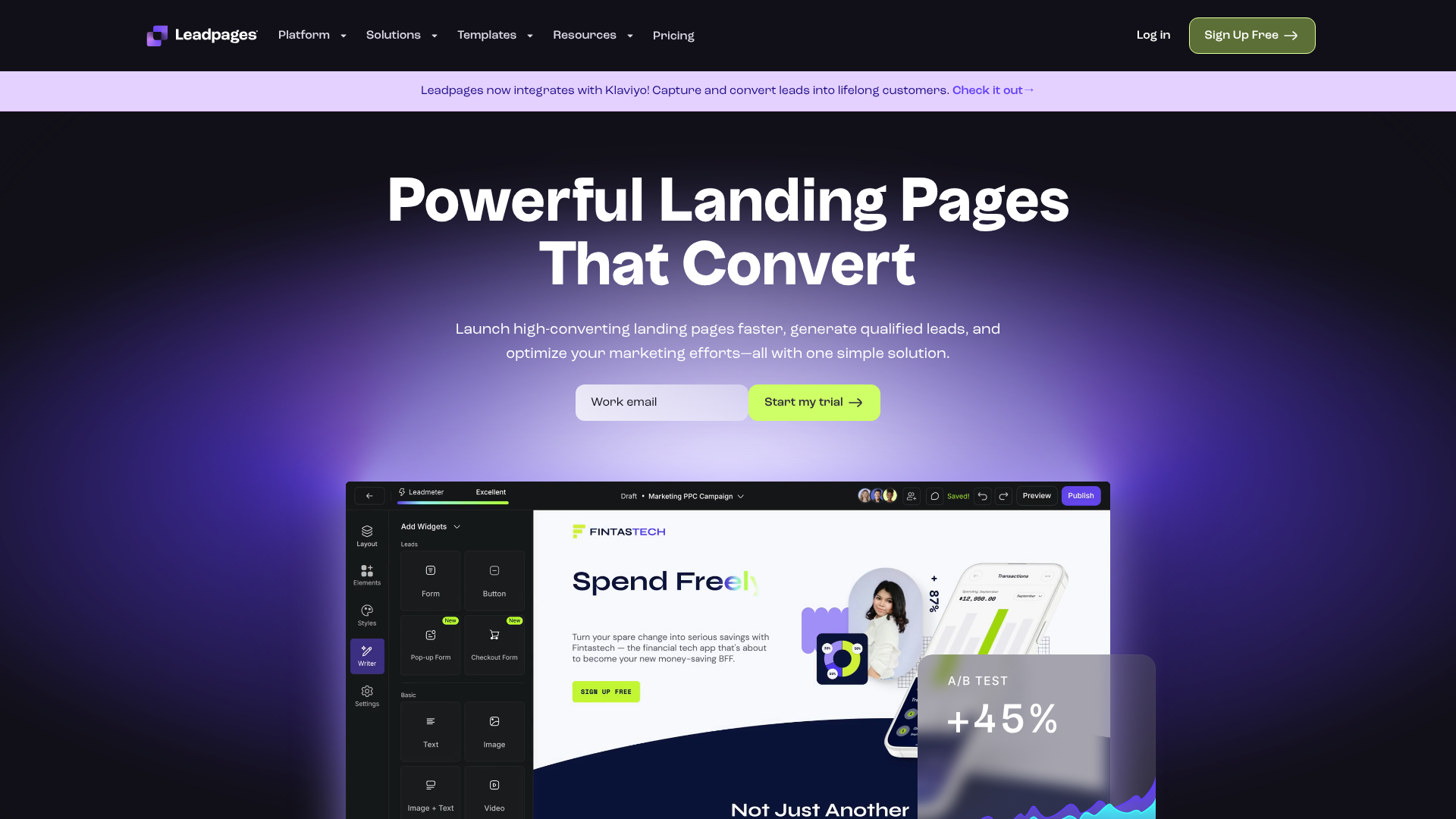
- Leadpages: Known for its user-friendly interface and extensive library of mobile-responsive templates. Leadpages is an excellent choice for beginners and small businesses who want to get a professional page up and running quickly. It integrates seamlessly with most email marketing and CRM platforms.
- Unbounce: A more powerful platform geared towards marketers who want to optimise for conversions. Unbounce's standout feature is its robust A/B testing capability, allowing you to test different headlines, images, and layouts to see what performs best. It also offers advanced features like dynamic text replacement.
- Instapage: This tool is great for teams and agencies, offering strong collaboration features and unparalleled page load speeds. Instapage also excels at personalisation, allowing you to create unique page experiences for different audience segments.
Design Tools for Mockups
Before you start building, it can be helpful to sketch out your ideas. Tools like Figma or Canva allow you to create a visual mockup of your front page layout. This process helps you experiment with different arrangements of elements and finalise your design before committing to a specific builder. Many of these tools have free tiers that are perfect for this kind of planning.
Pro Tip: When choosing a template from a tool like Leadpages, look for one that already matches your desired visual hierarchy. A template with a prominent hero section, a clear CTA above the fold, and dedicated space for social proof will give you a massive head start.
Inspiration in Action: Case Studies of Great Minimalist Page Design
Sometimes the best way to understand the principles of good design is to see them in action. Let's break down a few examples of companies that have mastered the art of the simple front page design.
1. Dropbox: The Dropbox homepage is a masterclass in minimalism. It typically features a bold, clear headline that communicates its core benefit (e.g., "Focus on the work that matters"), a brief subheading, and a prominent call-to-action. The visual is often a clean illustration rather than a busy photograph, which keeps the focus on the message.
They use a simple colour palette and an enormous amount of white space, making the page feel open and easy to navigate.
2. Slack: Slack's front page immediately tells you what it is and who it's for. Their headlines are benefit-driven and relatable. They effectively use social proof by displaying logos of major companies that use their platform.
The design is colourful and friendly but remains uncluttered. The primary CTA is always obvious, guiding users towards starting a free trial or contacting sales.
3. Headspace: The meditation app Headspace uses a soft colour palette and friendly illustrations to create a calming and welcoming experience right from the front page. Their value proposition is clear: "less stress, more sleep." The design perfectly reflects the brand's purpose. The CTAs are gentle but clear, encouraging users to try the app.
This is a great example of how a minimalist page design can be used to evoke a specific emotion.
Common Pitfalls: Mistakes to Avoid in Your Front Page Design
Creating a simple design is often harder than it looks because it requires making tough decisions about what to cut. Here are some common mistakes that can undermine the effectiveness of your front page:
- Vague Headlines and CTAs: Your headline must be crystal clear. Avoid clever marketing slogans that don't actually explain what you do. Similarly, your CTA should use direct, action-oriented language. "Click Here" is far less effective than "Download Your Free Guide."
- Too Much Clutter: This is the cardinal sin of homepage design. Too many competing elements—text blocks, images, buttons, animations—will confuse and overwhelm your visitors. Be ruthless in cutting anything that doesn't directly support your primary goal.
- Slow-Loading Media: A huge, unoptimised hero image or an auto-playing video can bring your page to a crawl. Always compress your images and consider using a static image with a play button for videos instead of having them auto-play.
- Ignoring Mobile Users: As discussed, failing to design for mobile is a critical error. Always test your page on a real smartphone to ensure the experience is seamless. What looks great on a desktop can look broken on a smaller screen.
- Hidden or Confusing Navigation: Don't try to reinvent the wheel with your navigation. Stick to conventions, like placing your logo in the top-left corner and your main menu across the top or behind a hamburger icon on mobile.
Getting Found: SEO Best Practices for Your Front Page Layout
A beautifully designed front page is useless if no one can find it. Search Engine Optimisation (SEO) ensures that your page is visible to users searching on Google and other search engines. While a simple design already helps with SEO by improving page speed, there are other technical elements you need to get right.
Your page's Title Tag is one of the most important on-page SEO factors. It's the blue link that appears in search results. It should be under 60 characters and include your primary keyword and brand name. The Meta Description is the short snippet of text below the title tag.
While not a direct ranking factor, a compelling meta description (under 160 characters) entices users to click on your result over a competitor's.
Within your page content, your main headline should be wrapped in an H1 tag. There should only be one H1 tag per page. Use H2 and H3 tags for subheadings to create a logical structure that is easy for both users and search engine crawlers to understand. Additionally, ensure all images have descriptive alt text.
This helps search engines understand what the image is about and makes your site more accessible to visually impaired users.
Finally, a good internal linking strategy is key. Your front page should link to your most important internal pages (e.g., your services, about, or contact pages). This helps distribute link equity throughout your site and guides users deeper into your content. Tools like Semrush or Ahrefs can perform a site audit to identify technical SEO issues that might be holding your page back.
What's Next? The Future of Simple Front Page Design
While the core principles of simplicity and clarity are timeless, web design trends continue to evolve. Looking ahead, we can expect to see the minimalist page design philosophy adapt in several exciting ways.
Personalisation will become even more prevalent. Websites will use data to show different hero sections or CTAs to different visitor segments. For example, a returning customer might see a different message than a first-time visitor. This creates a more relevant and engaging experience for each user.
Micro-interactions—small, subtle animations that provide feedback to a user—will continue to be a popular way to add a touch of personality and delight without creating clutter. Think of a button that changes colour when you hover over it or a form field that gives a gentle shake if you enter incorrect information.
We may also see a continued rise in design trends like brutalism, which takes minimalism to an extreme with raw, unstyled HTML and a focus on pure function. While not for every brand, it highlights the ongoing desire for authenticity and a departure from overly polished corporate designs. Ultimately, the future of front page design will remain rooted in a deep understanding of user needs, with technology enabling ever more intuitive and seamless ways to meet them.
Frequently Asked Questions
What is the most important element on a front page?
The most important part of a front page is the hero section—the area visible without scrolling. It must contain a clear value proposition (headline and subheading) and a single, prominent call-to-action (CTA). This combination is responsible for grabbing the user's attention and telling them exactly what to do next.
How can I make my homepage look professional?
Professionalism comes from consistency and attention to detail. Use a limited and cohesive colour palette, choose 2-3 clean and readable fonts, and embrace white space to avoid a cluttered look. High-quality images and consistent branding are also crucial for creating a polished and trustworthy appearance.
How much text should be on a front page?
Less is more. Your front page should have just enough text to communicate your value proposition and guide users to the next step. Use concise headlines, short paragraphs, and bullet points. Users tend to scan web pages rather than read them word-for-word, so make your content easily digestible.
What is the difference between a homepage and a landing page?
A homepage (or front page) is the main entry point of your website and has broad goals, with navigation to many different areas. A landing page is a standalone page created for a specific marketing campaign with a single goal, such as capturing an email address or selling one product. A landing page typically has no site navigation to keep the user focused on the single call-to-action.
Final Thoughts
Crafting a simple front page design is an exercise in focus and clarity. It's about understanding your audience, defining your primary goal, and removing every distraction that gets in the way. By prioritising a clean layout, a clear message, and a seamless user experience, you create a powerful first impression that builds trust and drives action.
Remember that your front page is not a static document. It should evolve as your business grows and as you learn more about your users. Use analytics to see how people are interacting with your page and don't be afraid to test new headlines, images, or CTAs to continuously improve its performance.
If you're ready to build a high-converting front page without the technical headaches, a dedicated tool can be your best asset. For a user-friendly experience with a wealth of proven templates, consider exploring a platform like Leadpages to get started on the right foot.